Bates Numbering Security: Why Client-Side Processing Matters
Local Bates numbering avoids uploading source files to a processing server. This guide explains that benefit and the device, storage, account, and document-handling safeguards still needed for confidential material.
Table of Contents
Understanding Security Models
Processing location affects document exposure, but security also depends on the software, device, access controls, storage, and workflow. Local processing avoids sending source files to a processing server; it does not eliminate every security or compliance risk.
Check the processing workflow
Check whether a PDF tool sends source documents to a processing server, and assess its access, retention, and security controls before using confidential material. Bates Stamping Softwareprocesses source files locally in your browser. Always verify a tool's architecture before processing confidential files.
The Two Processing Models
Client-Side Processing
Processing happens in your browser. Documents never leave your device.
Server-Side Processing
Documents uploaded to remote servers for processing.
Client-Side Processing Explained
How It Works
Client-side Bates numbering uses WebAssembly or JavaScript to process documents entirely within your web browser:
- You load the web page: The application code downloads to your browser
- You select documents: Files are read directly from your computer into browser memory
- Processing occurs locally: Your browser applies Bates numbers using local computing power
- You download results: Stamped PDFs are saved directly to your computer
- Source-file handling: Bates Stamping Software does not upload source-file contents for stamping; account and permission checks still use the network
🔒 Local document processing
Bates Stamping Software processes source documents locally rather than sending them to a processing server. This avoids that upload step. Browser software can make network requests, so local processing is not a guarantee against device compromise or every form of data disclosure.
Security Benefits
- No source-file upload: Documents never transmitted over internet
- No processing-server storage: Source files are processed on the device; local results and recovery copies can remain in browser storage
- Local source-file processing: Provider never sees document contents
- Account and usage data: Sign-in, licensing, page counts, and analytics are separate from document contents; review the privacy policy
- Web access checks: The browser workflow needs internet for sign-in and run/download permissions
- Low data exposure: Sign-in manages licensing, while document processing stays local
Verifying Client-Side Processing
You can verify a tool uses client-side processing:
- Open browser Developer Tools (F12)
- Go to Network tab
- Process a document
- Check for file uploads - client-side tools show none
- Inspect request payloads and review the privacy policy; offline behavior is separate from processing location
Server-Side Processing Risks
The Upload Problem
Server-side Bates numbering requires uploading your documents to the provider's servers. This creates multiple security vulnerabilities:
Data Breach Exposure
Your documents become part of the provider's data. If their servers are breached, your confidential documents are exposed. Major data breaches occur regularly, affecting millions of users.
Unauthorized Access
Provider employees may access your documents for "quality assurance," "debugging," or other purposes. You have no way to verify who views your files or when.
Permanent Records
Even if providers claim to delete files after processing, server logs, backups, and caches may retain copies indefinitely. You cannot verify deletion.
Legal Process Vulnerability
Documents stored on provider servers can be subpoenaed, searched by law enforcement, or accessed by government agencies. Your confidential materials become subject to third-party legal process.
Privilege Waiver Risk
Ask counsel to evaluate the provider relationship, confidentiality safeguards, and applicable privilege rules. A processing location alone does not decide privilege or waiver.
Questions for a Processing Provider
- Who can access the source files and processed copies?
- Where are copies and backups stored, and how long are they retained?
- What access, encryption, and incident-response controls are documented?
- What terms and agreements apply to the material in this matter?
Compliance and Legal Requirements
Attorney-Client Privilege
Protect client information throughout the workflow. Have counsel assess privilege questions under the applicable rules and orders, including the Federal Rules of Evidence where relevant:
- Disclosure review: Evaluate any transfer and provider safeguards with counsel
- Reasonable precautions: Ethical rules require reasonable security measures
- Client instructions: Follow applicable confidentiality duties and agreed handling procedures
- Provider review: Assess confidentiality terms, access controls, retention, and incident handling
HIPAA Compliance
Local processing can reduce disclosure to a service provider. It does not by itself establish HIPAA compliance. Organizations must evaluate their safeguards and whether a provider handles PHI on their behalf. See HHS Security Rule guidance and HHS business associate guidance.
| Requirement | Client-Side | Server-Side |
|---|---|---|
| Business Associate Agreement | Depends on the provider relationship | Required when the provider is a business associate |
| Source-file upload for processing | Not used for Bates Stamping Software stamping | Yes |
| Third-Party Access | Still assess device and account access | Possible |
| Breach Notification Risk | Depends on the incident and safeguards | Depends on the incident and safeguards |
GDPR and Data Protection
Local processing can reduce transfers to a service provider. It does not remove data protection obligations; assess the lawful basis, access, retention, and security of the overall workflow. See the European Commission guidance on GDPR principles.
Real-World Security Scenarios
Scenario 1: Litigation Discovery
Situation: You need to Bates number 10,000 pages of discovery documents containing attorney-client privileged communications.
Server-Side Risk: Evaluate the provider's confidentiality safeguards and any disclosure with counsel. Numbering software does not decide privilege or waiver.
Client-Side Solution: Source files stay on the device during processing. Protect the device and review the disclosure workflow with counsel.
Scenario 2: Medical Records
Situation: Personal injury case requiring Bates numbering of patient medical records.
Server-Side Risk: Review whether the provider is a business associate and whether an agreement and appropriate safeguards are in place.
Client-Side Solution: Source documents are processed locally. HIPAA obligations still depend on the organization, provider relationship, and safeguards.
Scenario 3: Trade Secrets
Situation: Corporate litigation involving confidential business information and trade secrets.
Server-Side Risk: Review provider access, retention, contractual safeguards, and the requirements for handling the particular trade-secret material.
Client-Side Solution: Source-file processing stays local. Device access, storage, and later disclosure still need appropriate safeguards.
Security Best Practices
Choosing Secure Tools
- Verify client-side processing: Test with browser developer tools
- Check privacy policy: Distinguish source-file contents, local storage, account data, and analytics
- Review account requirements: Check licensing, authentication, and account-data practices
- Check network requirements: Local processing can still require online license or download checks
- Review source code: Open-source tools allow security audits
Document Handling
- Choose tools that meet the matter's document-handling and security requirements
- Review any third-party handling of privileged material with counsel
- Maintain original un-numbered documents securely
- Use encrypted storage for sensitive files
- Follow your organization's data security policies
Professional Responsibility
- Understand your ethical obligations regarding client confidentiality
- Document your security measures and tool selection
- Obtain client consent for any third-party processing
- Stay informed about data security best practices
- Review and update security procedures regularly
Frequently Asked Questions
Is client-side Bates numbering HIPAA compliant?
Local processing alone does not establish HIPAA compliance. Evaluate the administrative, physical, and technical safeguards for the full workflow. Whether a BAA is needed depends on whether the provider creates, receives, maintains, or transmits PHI on behalf of a regulated entity.
How can I tell if a tool uses client-side processing?
Inspect requests in the browser Network tab while processing. In Bates Stamping Software, source-file contents are processed locally, while sign-in and run/download permissions require network access. Review account and analytics data separately.
Is client-side processing as fast as server-side?
Speed depends on file complexity, size, browser, and device. Local processing avoids a source-file upload, but it is not a promise that every batch is faster than a server-side tool.
Can server-side tools be made secure?
Server-side tools can use encryption, access controls, retention limits, and contractual safeguards. Local tools avoid uploading source documents, but users still rely on the software and the security of their device.
What about encrypted uploads?
Encryption in transit protects the transfer. Evaluate how a provider handles plaintext during processing, encrypts stored files, controls access, and deletes retained copies; the actual safeguards vary by service.
Which tool should I use for confidential documents?
Use Bates Stamping Software or other verified client-side tools. Bates Stamping Software processes source documents locally in the browser. Protect the device and stored copies, and review the privacy and licensing terms — $199 one-time purchase with one free preview run.
Conclusion
For confidential legal documents, medical records, and sensitive business materials, local Bates numbering reduces server-upload exposure. Device security, access controls, and appropriate handling remain necessary.
Review any provider that handles confidential documents, including its access controls, retention, contractual safeguards, and incident response. Local processing avoids that particular upload step while leaving the wider security obligations in place.
Try Local Bates Numbering
Bates Stamping Software uses client-side processing — your documents never leave your computer. No source-file upload. Start with one free preview run, then $199 one-time purchase.
Try Bates Stamping Software NowWatch the walkthrough
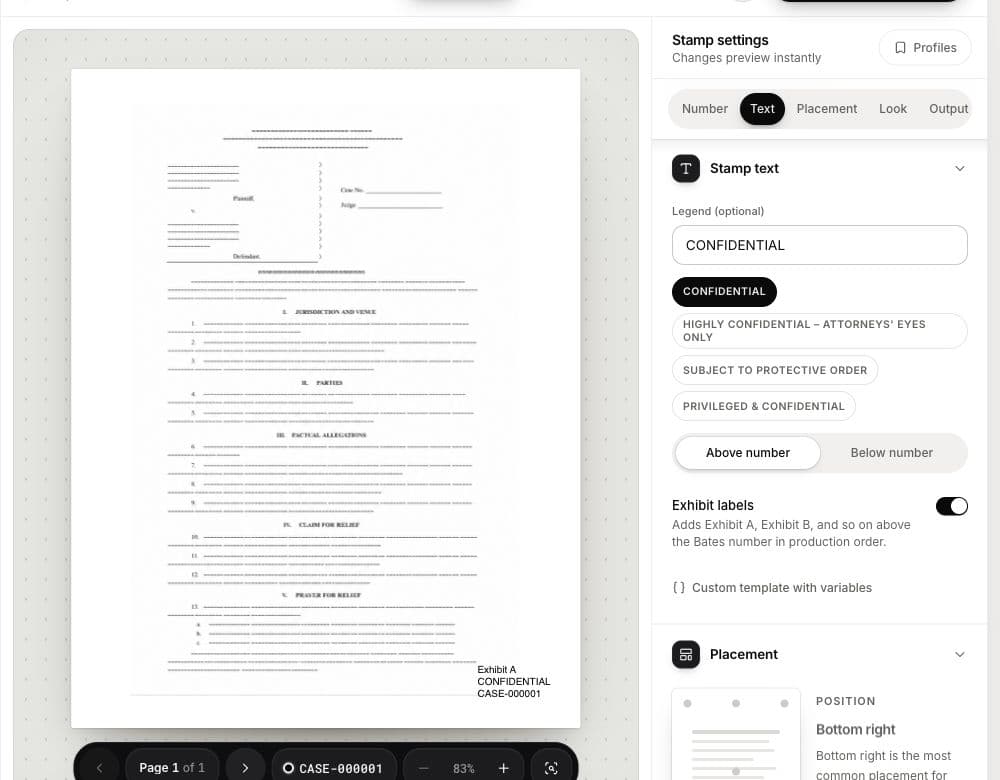
All video tutorialsConfidential Bates Stamps: Add a Legend Above or Below the Number
Sometimes a production needs a printed legend alongside its Bates identifier. In BatesFast, Legend is an optional text field, separate from the counting number. This example adds CONFIDENTIAL on its own line while keeping the Bates number visible on every stamped page.
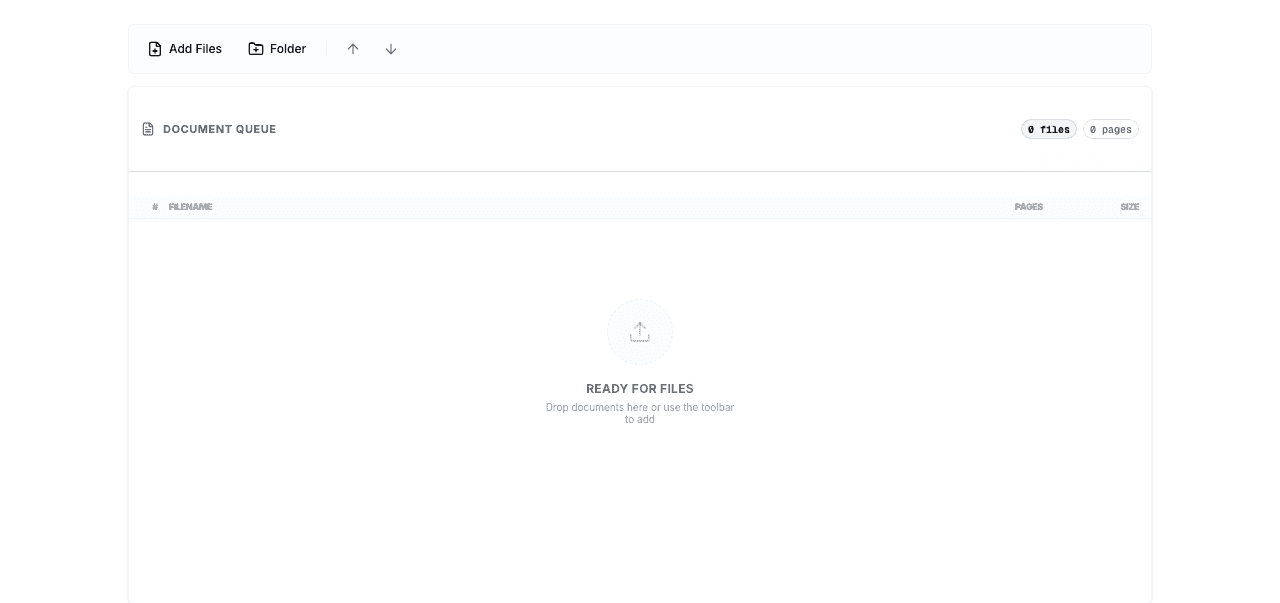
Bates Numbering Software in Your Browser: Local File Processing Explained
BatesFast reads and stamps source documents on your device in the browser. Local document processing describes where that work happens. This tutorial follows a sample file from selection to output and explains the practical checks for using a browser workspace.