Why Legal Professionals Need Bates Numbering in 2026
Despite advances in legal technology, Bates numbering remains an essential practice for attorneys, paralegals, and legal support staff. This guide explains why this 130-year-old system is more relevant than ever in modern legal practice.

Table of Contents
Court Requirements and Legal Mandates
Check the rules, orders, and production agreement that govern the matter.
Federal Rules of Civil Procedure
Rule 34 generally permits ordinary business organization or organization and labeling by request category, unless otherwise stipulated or ordered. Bates numbers identify pages; numbering alone does not establish compliance.
⚖️ Legal Requirement
A case-specific order may prescribe identifiers and production format. Review it before numbering; any correction or consequence depends on the governing obligation and circumstances.
State Court Requirements
Review jurisdiction-specific instructions, including:
- Local rules: Find the rules for the court handling the matter
- Judge's practices: Review standing orders and individual instructions
- Case orders: Follow the production protocol for the particular case
- Production agreements: Confirm identifiers, formats, and delivery organization
Efficiency and Time Savings
Bates numbering dramatically reduces time spent managing documents.
Quick Document Location
Instead of describing documents ("the email from Smith dated March 15"), attorneys can reference precise Bates numbers ("see ABC000234"). This saves hours during:
- Depositions and witness preparation
- Brief writing and motion practice
- Trial preparation and exhibit management
- Client communications and case updates
⏱️ Time Savings Example
A paralegal searching for "the contract" in 10,000 pages might spend 30+ minutes. With Bates numbers, they locate ABC005234 in seconds. Multiply this across hundreds of document requests, and the time savings become substantial.
Document Organization and Management
Logical Sequencing
Bates numbers create a permanent organizational structure that survives document reorganization, copying, and distribution. Benefits include:
- Chronological tracking: Documents maintain their production order
- Set identification: Ranges identify document groups (ABC001-ABC500)
- Version control: Different productions get different number ranges
- Privilege tracking: Track withheld documents separately under the matter's logging instructions
Evidence Integrity and Audit Trails
Bates numbers help reconcile pages with an index; they do not prevent or authenticate alterations.
Detecting Missing Pages
A missing identifier is a reason to compare the delivered set with its index and instructions. It does not by itself establish an omission or improper withholding. Reconciliation helps identify:
- Incomplete document productions
- Accidental omissions
- Unexplained numbering gaps
- Differences between retained and delivered copies
Team Collaboration and Communication
Bates numbers enable seamless team communication.
When multiple attorneys, paralegals, and support staff work on a case, Bates numbers provide a common language:
- "Review documents ABC001000-ABC001500 for privilege"
- "Key evidence at ABC002345"
- "Opposing counsel cited ABC003456 in their brief"
- "Client needs copies of ABC004000-ABC004100"
Modern Legal Practice Applications
Bates numbering adapts to modern workflows with better tools.
🚀 Modern Bates Numbering is Better Than Ever
While Bates numbering has been essential for 130+ years, modern tools like Bates Stamping Software have revolutionized the process:
- • Current offer: $199 one-time; review the pricing page for terms
- • No browser-workflow installation: Open the app in a supported modern browser
- • Local processing: Source-file contents stay on the device during stamping
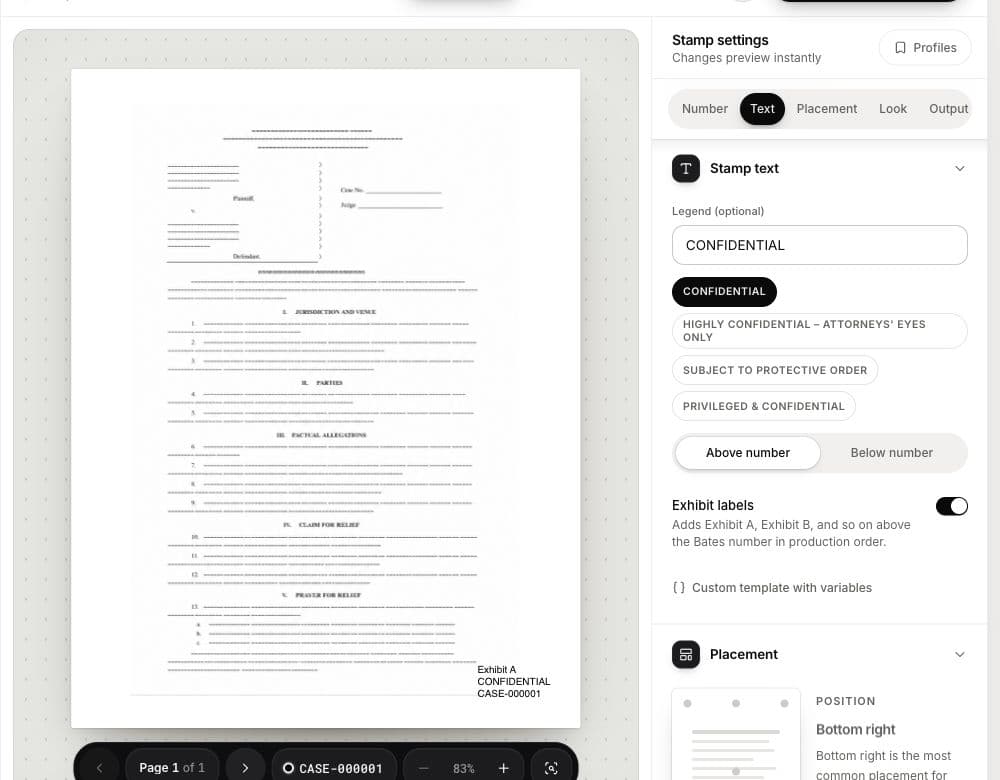
- • Live preview: Inspect placement and wording before running the production
- • Check the result: Preview representative pages and inspect downloaded files for errors
- • Web access: Sign-in and production/download permissions require internet access
E-Discovery Integration
Modern e-discovery platforms integrate Bates numbering with advanced features:
- Automated numbering during document review
- Searchable Bates number fields
- Production set management
- Privilege log generation
Remote Work and Cloud Collaboration
The Bates Stamping Software browser workspace processes prepared PDFs and supported images locally without installing a desktop application. Sign-in and production/download permissions require network access. File size, complexity, browser memory, and device capacity affect performance; secure handling still depends on the full workflow.
Frequently Asked Questions
Do I need Bates numbering for small cases?
Even a small production can benefit from consistent page references. Whether Bates numbering is required depends on the applicable instructions, not the case size. Check the finished files and measure the time saved in your own workflow.
Can I use page numbers instead of Bates numbers?
Page numbers commonly restart in each document; Bates numbers can give pages unique references across a batch. Use the identifiers required by the matter's instructions, rather than assuming one system is always mandatory.
How much time does Bates numbering save?
Savings depend on the document set and workflow. Measure representative preparation and retrieval tasks; an unsourced percentage is not a reliable estimate for your matter.
Is Bates numbering still relevant with modern technology?
Absolutely. While technology has evolved, the need for unique document identifiers hasn't changed. Modern tools make Bates numbering faster and easier, but the fundamental benefits remain essential.
Conclusion
Bates numbering remains essential in 2026 because it solves fundamental challenges in legal document management: unique identification, efficient organization, evidence integrity, and team collaboration. Use Bates numbering where it fits the workflow or the applicable production instructions.
Modern tools like Bates Stamping Software make Bates numbering faster, easier, and more accessible than ever. Whether you're a solo practitioner or part of a large firm, a checked numbering workflow can improve document references and organization. Numbering alone does not establish legal compliance.
Start Bates Numbering Today
Try Bates Stamping Software — secure, browser-based Bates numbering for modern legal professionals. Start with one free preview run, then $199 one-time. No subscription.
Try Bates Stamping Software Now