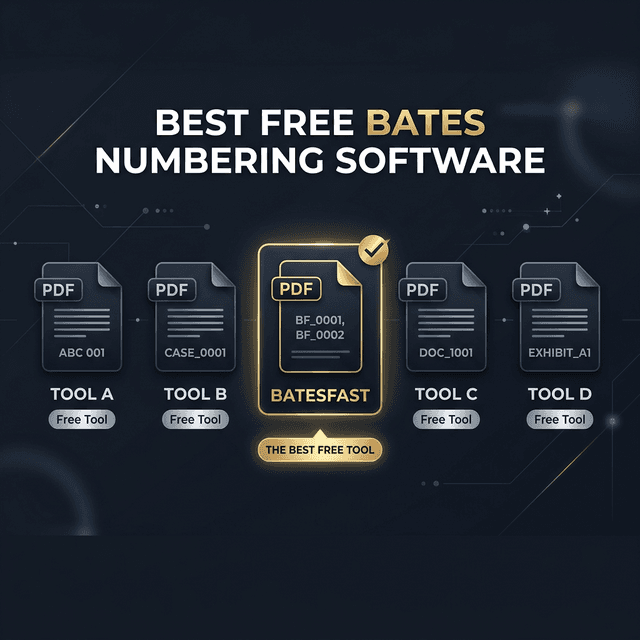
Best Free Bates Numbering Software in 2026 (Top 10 Compared)
Comprehensive comparison of the best free Bates numbering tools. Find the perfect solution for your legal document management needs without breaking the bank.
Comparing tools? See our best Bates numbering software picks for 2026, ranked by use case.
Quick Comparison Table
| Tool | Price | Platform | Best For | Rating |
|---|---|---|---|---|
| Bates Stamping Software | $199 one-time (free preview run) | Browser | Everyone | ⭐⭐⭐⭐⭐ |
| Adobe Acrobat | $19.99/mo | Desktop | PDF Editing | ⭐⭐⭐ |
| Bluebeam Revu | $349/year | Desktop | Construction | ⭐⭐⭐ |
| Foxit PhantomPDF | $149/year | Desktop | Business | ⭐⭐⭐ |
| PDFelement | $79/year | Desktop | Budget | ⭐⭐ |
1. Bates Stamping Software - Best Overall Bates Numbering Tool
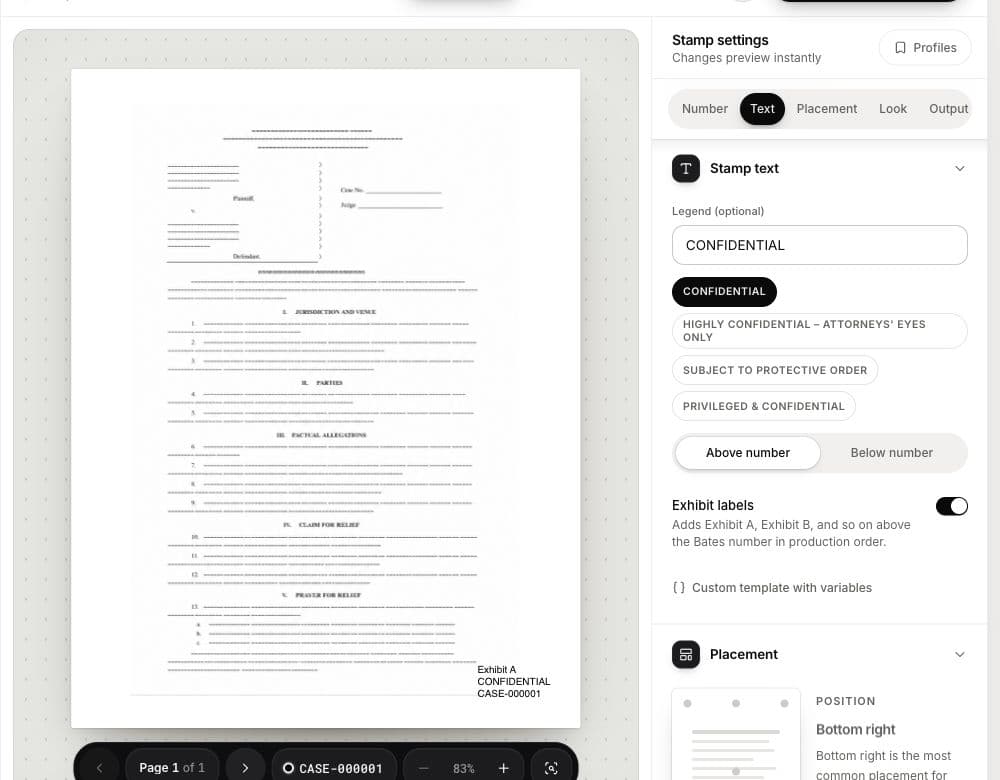
Bates Stamping Software
Browser-Based, One-Time Purchase
Pros
- • One-time $199 — no recurring fees
- • No installation required
- • Complete privacy (client-side)
- • Fast WebAssembly processing
- • Works on any device
- • Modern, intuitive interface
- • Batch processing
- • Custom templates
Cons
- • Requires internet connection
- • Browser-based only
- • No advanced PDF editing
Bates Stamping Software is our top recommendation for Bates numbering. Start with one free preview run — no credit card required. It's a browser-based tool that processes documents entirely on your computer using WebAssembly technology, avoiding a document-content upload for stamping. Local processing does not replace device security or your organization’s handling controls.
Unlike traditional software, Bates Stamping Software requires no installation, works on any operating system, and is built for high-volume document sets. It's the rare Bates numbering program that runs entirely in the browser — the interface is modern and intuitive, making it easy for beginners while offering advanced features for power users.
Best for: Legal professionals, paralegals, solo practitioners, and anyone needing secure, professional Bates numbering without software installation.
Try Bates Stamping Software Now →2. Adobe Acrobat Pro - Legacy Desktop Software
Adobe Acrobat Pro has been the traditional choice for PDF editing, but it's expensive and overkill if you only need Bates numbering. Many users report frustration with its complexity and cost.
Pros
- • Comprehensive PDF editing suite
- • OCR capabilities
- • Form creation tools
Cons (from G2/Capterra reviews)
- • Very expensive ($239.88/year)
- • Frequent crashes and bugs
- • Slow, resource-heavy performance
- • Bloated with unused features
- • Complex, confusing interface
- • Forced subscription model
- • Poor customer support
- • Requires installation and updates
Price: $19.99/month or $239.88/year
Best for: Only if you need extensive PDF editing beyond Bates numbering. For Bates numbering alone, Bates Stamping Software is the better choice.
3. Bluebeam Revu - Construction-Focused Tool
Bluebeam Revu is popular in construction and engineering but expensive and overly complex for simple Bates numbering tasks.
Pros
- • Markup and collaboration tools
- • Construction-specific features
Cons (from G2/Capterra reviews)
- • Expensive ($349/year)
- • Windows-only (limited Mac support)
- • Steep learning curve
- • Occasional crashes
- • Overkill for simple Bates numbering
- • Complex interface
Price: $349/year
Best for: Construction professionals who need markup tools. Not recommended for legal Bates numbering.
4. Foxit PhantomPDF - Mid-Tier Alternative
Foxit offers a cheaper alternative to Adobe but still requires payment and installation. Users report various quality issues.
Pros
- • Cheaper than Adobe
- • PDF editing features
Cons (from G2/Capterra reviews)
- • Still expensive ($149/year)
- • Inconsistent user interface
- • Occasional bugs and crashes
- • Less polished than Adobe
- • Limited cloud features
- • Compatibility issues
Price: $149/year
Best for: Users who need PDF editing but can't afford Adobe. For Bates numbering only, use Bates Stamping Software instead.
5. PDFelement - Budget Option
PDFelement is one of the cheaper paid options, but you get what you pay for. Quality and reliability issues are common.
Pros
- • Lower price point
- • Basic PDF editing
Cons (from G2/Capterra reviews)
- • Still costs $79/year
- • Less professional quality
- • Formatting issues reported
- • Limited advanced features
- • Occasional stability problems
- • Basic Bates numbering only
Price: $79/year
Best for: Budget-conscious users who need basic PDF editing. Bates Stamping Software offers better Bates numbering at $199 one-time with one free preview run.
Comparison Criteria
We evaluated each tool based on these key factors:
- Price: Cost per month/year and value for money
- Ease of Use: Learning curve and interface design
- Features: Customization options and capabilities
- Performance: Processing speed and reliability
- Security: Data privacy and protection
- Platform: Operating system compatibility
- Support: Documentation and customer service
Which Tool Should You Choose?
✓ Choose Bates Stamping Software (Recommended)
- • free preview run, then $199 one-time — no subscription or hidden costs
- • No software installation or updates
- • Document contents are processed locally
- • Fast, modern, intuitive interface
- • Works on any device or operating system
- • Professional results without the price tag
- • Live preview and focused Bates settings
Only consider paid tools if you need:
- • Extensive PDF editing beyond Bates numbering
- • OCR for scanned documents
- • Form creation and digital signatures
- • Document redaction features
Note: For Bates numbering alone, paid tools are unnecessary and wasteful.
Frequently Asked Questions
Is free Bates numbering software reliable?
Yes. Modern tools like Bates Stamping Software use the same PDF libraries as expensive desktop software and produce professional, court-acceptable results. Bates Stamping Software offers one free preview run so you can verify quality before purchasing.
Do I need to pay for Bates numbering software?
Bates Stamping Software provides professional-grade Bates numbering for a one-time $199 purchase with one free preview run — no limitations, no subscription. Expensive software like Adobe Acrobat ($240+/year) only makes sense if you need extensive PDF editing features beyond Bates numbering.
Can free tools handle large document sets?
Yes. Bates Stamping Software is built for large document sets and can process thousands of pages quickly using modern WebAssembly technology.
Try Bates Stamping Software — Free Preview Run
Start with one free preview run. $199 one-time purchase afterward — no subscription, no recurring fees. Secure, browser-based, no installation required.
Try Bates Stamping Software Now