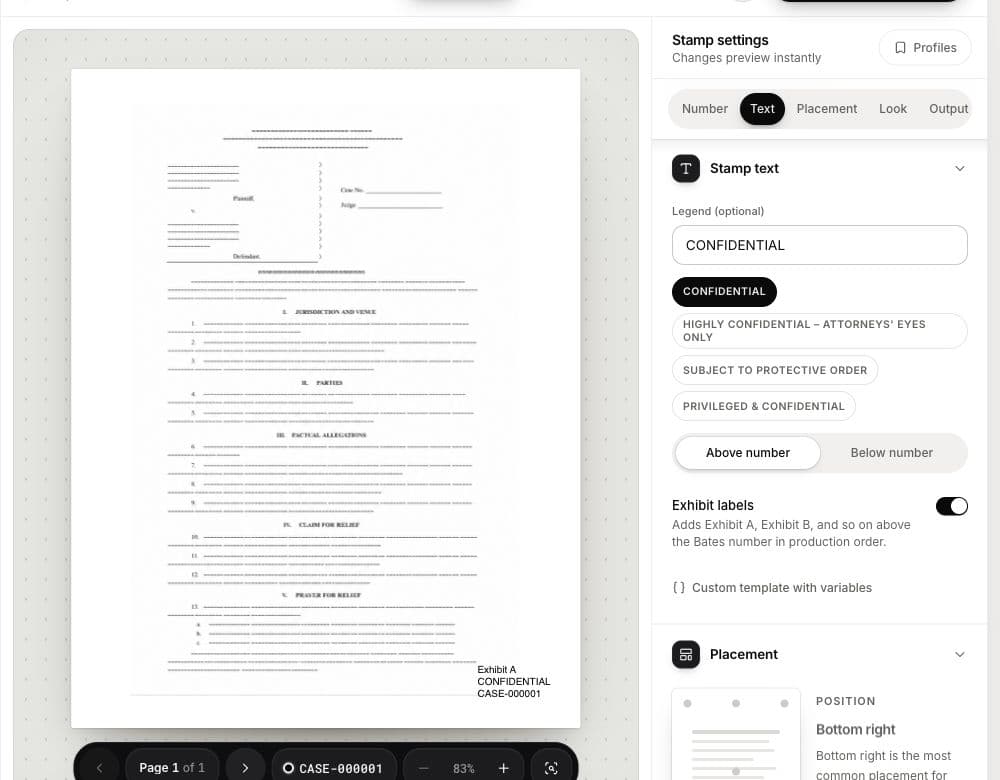
Corporate Legal Bates Numbering: Internal Investigations & Compliance
Corporate legal departments face unique document management challenges. Learn how to implement effective Bates numbering systems for internal investigations, regulatory compliance, and litigation management.
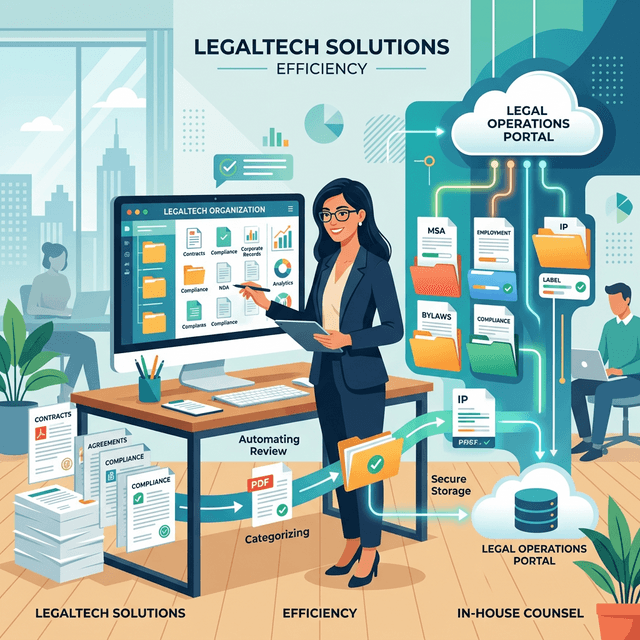
Corporate Legal Department Challenges
Corporate legal departments operate differently from law firms. They manage ongoing business relationships, handle sensitive internal matters, coordinate with multiple business units, and balance legal obligations with business objectives. Bates numbering systems must accommodate these unique requirements.
Key differences from law firm practice:
- Internal focus: Many matters never become external litigation
- Confidentiality: Extreme sensitivity around internal investigations
- Business integration: Legal works closely with HR, compliance, finance
- Regulatory matters: Government investigations and audits
- Long-term retention: Documents may be relevant for years
- Cost consciousness: Legal is a cost center, not profit center
Corporate Reality
Plan internal review copies and external delivery sets separately. Determine what identifiers, formats, and access controls each matter needs before applying numbers.
Internal Investigation Workflows
Investigation Initiation
When an internal investigation begins, establish document management protocols immediately:
- Create investigation folder: Dedicated secure location for all investigation materials
- Establish naming convention: INV-2024-001 (Investigation-Year-Number)
- Issue document hold: Preserve potentially relevant documents
- Plan Bates numbering: Determine if/when Bates numbers will be needed
- Set access controls: Limit access to investigation team only
Document Collection
Corporate investigations require collecting documents from multiple sources:
Common sources:
- Email systems: Exchange, Gmail, Office 365
- File shares: Network drives, SharePoint, cloud storage
- Business systems: ERP, CRM, HR systems
- Employee devices: Laptops, phones, tablets
- Physical documents: Paper files, notebooks
Collection best practices:
- Work with IT to preserve electronic evidence
- Use forensic collection methods for key custodians
- Document chain of custody
- Organize by custodian and source system
- Convert all documents to PDF before Bates numbering
When to Apply Bates Numbers
Not all internal investigations require Bates numbering. Apply Bates numbers when:
- Government investigation: Likely to produce documents to regulators
- Potential litigation: Matter may result in lawsuit
- Board reporting: Documents will be presented to board or audit committee
- External counsel: Sharing documents with outside law firm
- Large document set: Need systematic organization (500+ documents)
For purely internal matters with small document sets, simple file naming may suffice without formal Bates numbering.
Investigation-Specific Bates Formats
Corporate investigations benefit from descriptive Bates number formats:
Format: [COMPANY]-[INV-ID]-[CUSTODIAN]-[NUMBER]

Examples:
ACME-INV2024-001-SMITH-000001
ACME-INV2024-001-JONES-000001
ACME-INV2024-002-WILLIAMS-000001

Benefits:
- Company identification
- Investigation tracking
- Custodian attribution
- Sequential numbering
Regulatory and Compliance Matters
Government Investigations
When responding to government subpoenas or civil investigative demands:
Special considerations:
- Privilege protection: Carefully review for attorney-client privilege
- Confidentiality designations: Mark confidential business information
- Production format: Follow government's specific requirements
- Privilege log: Detailed descriptions of withheld documents
- Certification: Officer certification of production completeness
Recommended Bates format:
Format: [COMPANY]-[AGENCY]-[MATTER]-[NUMBER]

Example: ACME-SEC-2024-001-000001

This format clearly identifies:
- Producing company
- Receiving agency
- Matter identification
- Sequential number
Audit Responses
Financial and compliance audits often require document production:
- Organize by audit area: Group documents by audit topic
- Use descriptive prefixes: AUDIT-FIN-000001 (Financial), AUDIT-SOX-000001 (SOX compliance)
- Maintain originals: Keep unaltered originals for audit trail
- Track requests: Document which documents respond to which audit requests
Regulatory Filings
These workflows may benefit from numbered reference copies. Confirm each recipient's filing instructions before applying a Bates format:
- SEC filings: Exhibits to registration statements or periodic reports
- Patent applications: Prior art and supporting documents
- FDA submissions: Clinical trial documentation
- Environmental permits: Supporting technical documents
Use Bates numbers that clearly identify the filing: SEC-S1-2024-EX-000001 (SEC Form S-1, 2024, Exhibit)
Cross-Functional Coordination
Working with HR
Employment-related investigations require close HR coordination:
Document types:
- Personnel files
- Performance reviews
- Disciplinary records
- Complaint documentation
- Investigation interview notes
Privacy considerations:
- Redact personal information of non-relevant employees
- Protect medical information (HIPAA, ADA)
- Consider state privacy laws
- Limit access to need-to-know basis
Working with IT
IT departments are critical partners in document collection:
IT responsibilities:
- Implement litigation holds on email and file systems
- Extract data from business systems
- Provide forensic images of employee devices
- Assist with data format conversions
- Maintain chain of custody documentation
Legal responsibilities:
- Provide clear scope of document preservation
- Specify custodians and date ranges
- Review collected data for relevance
- Apply Bates numbers to final production set
- Manage privilege review
Working with Business Units
Business units often possess relevant documents:
- Finance: Financial records, contracts, invoices
- Sales: Customer communications, proposals, agreements
- Operations: Process documentation, quality records
- R&D: Technical documents, test results, specifications
Provide business units with clear instructions on document collection and preservation. Use non-technical language and emphasize the importance of completeness.
Confidentiality and Security
Internal Confidentiality
Corporate investigations require extreme confidentiality:
- Limit access: Only investigation team members
- Secure storage: Encrypted drives, password-protected folders
- No email: Don't email investigation documents unless encrypted
- Physical security: Locked offices, secure document destruction
- Audit trails: Track who accesses investigation materials
Privilege Protection
Have counsel determine privilege and any applicable disclosure or waiver rules. A Bates number or confidentiality legend does not decide those questions. See the Federal Rules of Evidence where applicable:
Best practices:
- Use privilege legends only as instructed after counsel's review; a legend does not create privilege
- Conduct investigation under attorney direction
- Document privilege assertions in privilege log
- Train employees on privilege protection
- Use separate Bates number ranges for privileged documents if needed
Trade Secret Protection
When producing documents externally, protect trade secrets:
- Confidentiality agreements: Require before production
- Redaction: Remove trade secret information when possible
- Confidential designation: Mark documents appropriately
- Limited access: Restrict who can view documents
- Protective orders: Seek court protection when necessary
Technology and Tools for Corporate Legal
Small Legal Departments (1-3 attorneys)
Recommended tools:
- Browser-based Bates numbering (Bates Stamping Software)
- Cloud storage with encryption (OneDrive, Google Drive)
- Basic document management (SharePoint)
- Email archiving (built-in to Office 365/Gmail)
Cost: $0-500/year for tools beyond existing IT infrastructure
Medium Legal Departments (4-10 attorneys)
Recommended tools:
- Professional Bates numbering tools
- Document management system (NetDocuments, iManage)
- E-discovery platform for large matters (Logikcull, Everlaw)
- Matter management software
Cost: $5,000-20,000/year depending on volume
Large Legal Departments (10+ attorneys)
Recommended tools:
- Enterprise e-discovery platform (Relativity, Nuix)
- Legal hold software (Zapproved, Everlaw)
- Contract management system
- Matter management and e-billing
- Dedicated litigation support staff
Cost: $50,000-200,000+/year for comprehensive solution
Cost-Effective Approach
Start with browser-based tools like Bates Stamping Software for routine Bates numbering. Invest in expensive e-discovery platforms only for large matters (10,000+ documents) or when advanced features like predictive coding are needed. This hybrid approach optimizes cost while maintaining capability.
Best Practices for Corporate Legal Departments
Essential Best Practices
- Document retention policy: Establish clear policies for document retention and destruction
- Litigation hold process: Implement systematic process for preserving documents
- Privilege training: Train employees on attorney-client privilege
- Investigation protocols: Written procedures for internal investigations
- Vendor management: Vet and manage outside counsel and litigation support vendors
- Cost tracking: Monitor document production costs for budgeting
- Quality control: Review productions before delivery
- Lessons learned: Document what worked and what didn't for future matters
Frequently Asked Questions
Do all internal investigations require Bates numbering?
No. Bates numbering can help identify pages in an investigation, but any requirement depends on the applicable instructions, order, or production agreement. A small internal matter may use another consistent identification system.
How should corporate legal departments handle privilege in investigations?
Have counsel assess privilege, review disclosure scope, and specify any legend or log identifiers. A label or Bates number does not create privilege. Keep withheld material separate from the delivery set.
What Bates number format works best for corporate investigations?
Use format: [COMPANY]-[INV-ID]-[CUSTODIAN]-[NUMBER]. Example: ACME-INV2024-001-SMITH-000001. This clearly identifies the company, investigation, custodian, and provides sequential numbering for tracking.
How can corporate legal departments reduce document production costs?
Use browser-based tools for routine work, implement early case assessment to reduce document volume, conduct targeted collection rather than broad sweeps, use technology-assisted review for large matters, and establish clear procedures to avoid rework.
Should corporate legal departments outsource document production?
Assess the file types, production instructions, available staff, and device capacity. Use specialist support when the matter needs review, native-file or load-file processing, or expertise beyond a PDF numbering workflow.
How should corporate legal work with IT on document collection?
Provide IT with clear scope (custodians, date ranges, systems), establish regular communication, document chain of custody, review collected data promptly, and provide feedback on data quality. Build strong IT relationships before investigations arise.
What security measures are essential for investigation documents?
Use encrypted storage, limit access to investigation team, avoid emailing documents unless encrypted, implement audit trails, use secure document destruction, and train team members on confidentiality obligations. Security breaches can compromise entire investigations.
How long should corporate legal retain Bates-numbered documents?
Apply the retention policy, preservation duties, and orders for the matter. There is no single retention period for every investigation file. Keep original and produced versions as required, and coordinate disposal with the responsible team.
Conclusion
Corporate legal departments face unique challenges in document management and Bates numbering. Unlike law firms focused on external litigation, corporate legal must balance internal investigations, regulatory compliance, business relationships, and cost management while maintaining strict confidentiality.
Success requires establishing clear procedures, coordinating across business functions, implementing appropriate technology, and maintaining flexibility to handle both routine matters and major investigations. Whether you're a solo in-house counsel or part of a large legal department, the principles remain consistent: efficiency, security, and professionalism.
Start with cost-effective tools like browser-based Bates numbering for routine work, invest in enterprise solutions only when volume and complexity justify the cost, and always prioritize confidentiality and privilege protection in your document management practices.
Secure Bates Numbering for Corporate Legal
Try Bates Stamping Software's local source-document processing for prepared investigation files. Device, storage, access, and disclosure safeguards remain necessary. Start with one free preview run, then $199 one-time purchase.
Start Using Bates Stamping Software