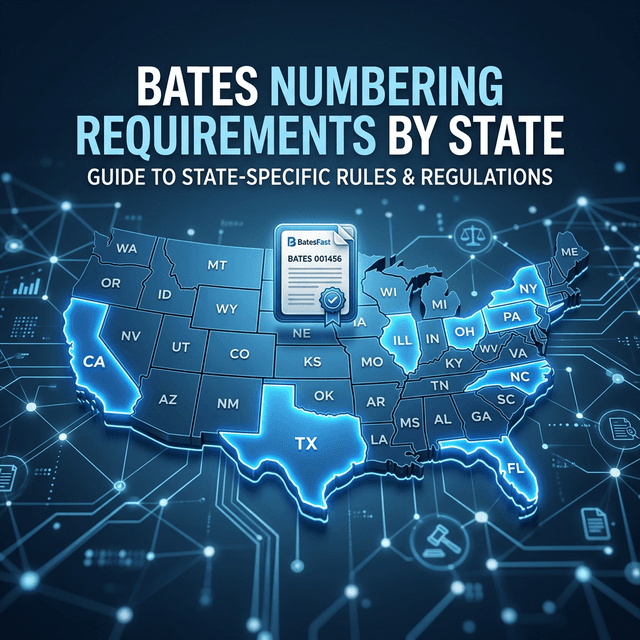
Bates Numbering Requirements by State: A Comprehensive Guide
Bates numbering requirements vary significantly by jurisdiction. Understanding federal rules, state-specific mandates, and compliance standards is essential for every legal professional handling document production. This guide covers the requirements you need to know.
Federal Requirements
The Federal Rules of Civil Procedure govern federal civil discovery. They address how documents are organized and produced, but Rule 34 does not impose a universal Bates-numbering requirement. Check local rules, case orders, and the agreed production protocol.
FRCP Rule 34: Production of Documents
Rule 34(b)(2)(E)(i) generally allows documents to be produced in their ordinary business organization or organized and labeled by request category, unless otherwise stipulated or ordered. Bates numbers help identify pages, but adding numbers alone does not establish compliance with the production requirements.
⚖️ Check the production protocol
A court order or production agreement may specify Bates prefixes, placement, digit count, and file format. Follow those instructions and preserve the organization and metadata required for the production. Numbering is one part of that process.
FRCP Rule 26(b)(5): Privilege Claims
Rule 26(b)(5) addresses identifying withheld information and describing the claim. Use the log identifiers required for the matter; Bates references are one possible convention. Bates Stamping Software does not perform privilege review or generate a privilege log.
FRCP Rule 37: Sanctions for Non-Compliance
Rule 37 addresses discovery failures and violations of discovery orders. Remedies depend on the applicable rule and the facts; missing Bates numbers do not automatically trigger sanctions. If a numbering requirement was missed, review the governing order and agree on a correction with counsel.
Consequences of Non-Compliance
- Check the specific discovery obligation or order before assessing a defect
- Keep a record of any corrected production and its Bates ranges
- Ask counsel to assess any motion, cost, or sanctions exposure under the governing rule
State Rules: Where to Check
A state discovery rule, a local rule, and a case-specific order can impose different obligations. The sources below are starting points for checking production requirements; they do not establish a statewide Bates-numbering mandate.
| State | Official source | What to check |
|---|---|---|
| California | CCP § 2031.280 | Identify responsive documents with the specific request number; also review local and case orders. |
| New York | Commercial Division rules | Review Rule 11-e for document responses, Rule 11-b for privilege logs, and the assigned part rules. |
| Texas | Texas court rules and local orders | Review Rule 196 and any applicable local or case-specific production order. |
| Florida | Florida Rules of Court Procedure | Review Rule 1.350 and the applicable case management order. |
| Pennsylvania | Rule 4009.1 | Check requested production format and any court order governing discovery. |
| New Jersey | New Jersey Rules of Court | Review Rule 4:18-1 and any case-specific production protocol. |
California § 2031.280(a) requires identification by the specific request number. A Bates index can help make that connection, but Bates numbering by itself does not replace it. In New York, Commercial Division Rule 11-a concerns interrogatories; it is not a general Bates-numbering rule. Confirm the applicable document-production instructions before choosing a format.
Format and Compliance Standards
The following are common workflow choices, not universal legal standards. Use the format specified by the applicable court order or production agreement.
Number Format
Minimum Digits
Use at least 6 digits with leading zeros (e.g., 000001). This accommodates up to 999,999 pages and prevents numbering issues in large cases.
Prefix Convention
Use a 3-4 character prefix identifying the producing party (e.g., DEF000001 for defendant). This prevents numbering conflicts between parties.
Sequential Continuity
Keep the sequence consistent with the production protocol. Investigate gaps or duplicates; a gap alone does not establish that a document was withheld or must appear on a privilege log.
Supplemental Productions
For a continuous sequence, start after the last issued identifier. Check the protocol before changing the prefix, suffix, or numbering scheme.
Placement Requirements
- Position: Follow the placement in the applicable order or protocol; bottom right is one common workflow choice
- Font size: Choose a readable size and follow any specified minimum; there is no universal 10pt requirement
- Color: Use sufficient contrast and check any specified color; test readability in copies
- Margins: Place stamps within the page margins so they don't overlap with existing content
- Consistency: Maintain the same position, font, and size across all documents in a production
Common Compliance Mistakes
Restarting Numbers Between Productions
When the protocol uses one continuous sequence, start a supplemental production after the last issued number. Avoid duplicate identifiers and retain the final index for each delivery.
Inconsistent Formatting
Changing your numbering format mid-case (e.g., switching from ABC-000001 to ABC000001) can create confusion and conflict with an agreed production protocol. Choose a format at the outset and maintain it throughout all productions.
Overlapping Stamp Placement
Placing Bates stamps over existing text makes documents unreadable. Always preview your stamped documents and adjust placement to avoid covering content, headers, footers, or page numbers.
Missing Privilege Log Entries
Investigate gaps against the final index. A gap can have several causes and does not itself establish privilege or waiver. Have counsel address withheld information and any log under the applicable rules and orders.
Not Checking Local Rules
Requirements vary by court, judge, and case type. Always review your jurisdiction's local rules, the assigned judge's individual practices, and any applicable case management orders before your first production.
Best Practices for Meeting Requirements
Compliance Checklist
- Check local rules first: Review jurisdiction-specific requirements before every production
- Agree on format early: Establish numbering format in the Rule 26(f) conference or initial case management order
- Use consistent format: Maintain the same prefix, digit count, and placement throughout the case
- Document your system: Record your Bates numbering methodology and keep production logs
- Maintain privilege logs: Use the identifiers and descriptions required for the matter
- Keep production records: Track all Bates ranges, dates, and production volumes
- Quality check before delivery: Verify numbering accuracy on a sample of documents before sending
- Use reliable tools: Choose tools that ensure consistent, accurate numbering across all documents
Browser-based tools like Bates Stamping Software apply consistent Bates numbers. Check the resulting files against the production protocol before sharing them.
Frequently Asked Questions
Is Bates numbering legally required?
Rule 34 does not impose a universal Bates-numbering requirement. A court order, local rule, or production agreement may require it. Check the rules and orders that apply to the case before producing documents.
What happens if I don't use Bates numbers?
If an applicable rule or order requires numbering, a defective production may need correction. Any costs or sanctions depend on the governing rule, the order, and the circumstances; they do not follow automatically from missing Bates numbers.
How many digits should Bates numbers have?
Use a minimum of 6 digits (e.g., 000001) for most cases. For very large cases with potential for over one million pages, use 7 or 8 digits. It's better to use more digits than you think you'll need — you can't easily change the digit count mid-case without causing confusion.
Do small cases need Bates numbering?
Bates numbers can make even a small production easier to cite and review. Whether they are required depends on the applicable rules, court orders, and production agreement, not just the size of the case.
Should I use prefixes in my Bates numbers?
Yes. Using a 3-4 character prefix (e.g., DEF for defendant, PLT for plaintiff) prevents numbering conflicts when multiple parties are producing documents. Discuss prefix assignments with opposing counsel during the initial discovery conference to avoid duplicates.
How do I handle supplemental productions?
For a continuous sequence, start after the last issued number. If the previous set ended at DEF005000, begin at DEF005001. Follow the production protocol, identify the supplemental range, and update the index.
Can I use Bates numbering for electronic documents?
Yes. Bates numbers can be stamped on PDF pages. Electronic productions may also require native files, metadata, or load files, so follow the agreed or ordered format instead of assuming every document should be converted to PDF.
Where can I find my court's specific Bates numbering rules?
Check three sources: (1) the court's local rules, usually available on the court's website; (2) the assigned judge's individual practices or standing orders; and (3) any case management orders issued in your specific case. For federal courts, also review the district's e-discovery guidelines.
Conclusion
Bates numbering is a useful way to identify pages, while legal production requirements depend on the jurisdiction, case orders, and agreed protocol. Review those sources and document how the production meets them.
Use consistent numbering when the production protocol calls for it, and verify page order, readability, and file format. Bates Stamping Software offers a free preview run and a one-time $199 license for applying Bates numbers locally in the browser.
Apply Consistent Bates Numbers
Bates Stamping Software applies Bates numbers locally in your browser. Review the output against your production protocol. One-time $199 purchase, with one free preview run.
Try Bates Stamping Software Now